3 Practical Ways to Send Bulk SMS from ConvertKit Using Twilio (And How to Choose What Fits Your Workflow)
SMS marketing is becoming a core part of how creators and businesses communicate with their audiences. Text messages get read almost instantly and have open rates that make email look slow in comparison.
If you already use ConvertKit to manage subscribers, you can connect it to Twilio to start sending bulk SMS campaigns that reach people directly.
In this guide, you will learn three reliable ways to send bulk SMS from ConvertKit using Twilio, what each option is good for, and which one fits best depending on your technical comfort level.
Why Connect ConvertKit and Twilio
ConvertKit is great for audience management, segmentation, and email automation.
Twilio is a developer-friendly platform that makes it easy to send text messages (SMS and MMS) at scale.
When you connect the two, you can:
- Send SMS messages automatically when subscribers take an action in ConvertKit
- Use ConvertKit tags or segments to target specific groups
- Deliver instant alerts, reminders, or promotional messages
- Keep all communications in sync between both platforms
ConvertKit does not have built-in SMS support, so you need to connect it using one of three main methods.
Option 1: Use Zapier or Make to Trigger SMS from ConvertKit
If you want to test SMS quickly without coding, tools like Zapier or Make (Integromat) are the easiest entry point.
How it works:
- Create an automation in Zapier or Make.
- Choose ConvertKit as the trigger app, for example, “subscriber joins a form” or “tag added.”
- Choose Twilio as the action app to send SMS messages.
You can personalize texts using subscriber data from ConvertKit and send to specific audiences.
Pros:
- Fast setup using a visual interface
- No coding required
- Great for small lists or testing SMS
Cons:
- Gets expensive with high volume
- Limited analytics and delivery tracking
- Less reliable for large-scale sends
If your goal is to experiment with SMS or add light automation to your existing ConvertKit setup, this option is fine. For regular campaigns, though, you may run into limits quickly.
Option 2: Use ConvertKit Webhooks with the Twilio API
For teams that are comfortable working with APIs, ConvertKit webhooks can trigger Twilio directly.
A webhook lets ConvertKit send data to another system when something happens, such as when a subscriber gets tagged or joins a form. Your backend code receives that webhook and then calls Twilio’s Messaging API to send SMS messages.
This method gives you full control over message timing, logic, and content.
Pros:
- Complete flexibility
- Ideal for complex automation flows
- Full visibility and control over logic
Cons:
- Requires coding knowledge and hosting
- Needs maintenance and monitoring
- Harder to adjust or troubleshoot if you are not technical
If you already have developers or technical automation workflows in place, this can be a strong and efficient method. Otherwise, setup time and maintenance can become a burden.
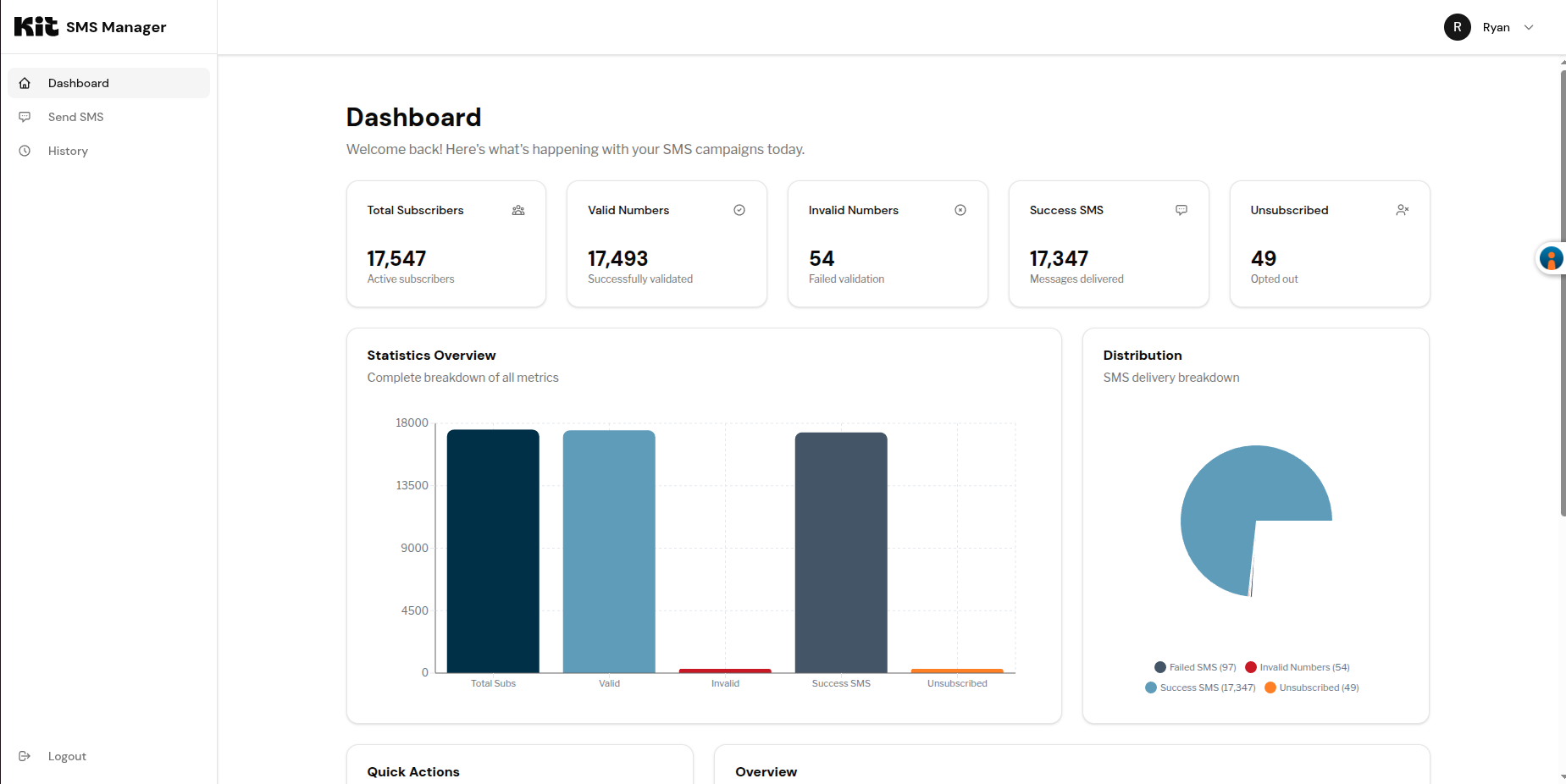
Option 3: Use a Custom ConvertKit + Twilio Dashboard for SMS Messaging
Many teams start with Zapier or direct APIs and eventually realize they need something more stable, easier to use, and clearer to manage. That is where a custom ConvertKit + Twilio dashboard becomes the best long-term option.
A custom dashboard integrates both systems and provides one simple interface where you can:
- Send bulk SMS and MMS directly to ConvertKit subscribers
- Filter recipients by tags, forms, or segments
- Schedule or automate recurring text campaigns
- Track delivery, link clicks, and replies
- View message history and analytics
- Manage Twilio credits and numbers from one place
This approach combines the simplicity of no-code tools with the reliability of a direct API connection. You do not have to maintain scripts or troubleshoot multiple systems.
For most teams, this is the long-term solution because it is easy to use, reliable at scale, and gives you complete visibility into message performance.
Want to See What a Custom Dashboard Could Look Like for You?
If you are already using ConvertKit and Twilio but do not have a smooth way to connect them, it is worth exploring what a custom dashboard could do for you.
Every setup is a little different depending on your audience size and goals. If you would like to see a live example or talk through your setup, feel free to reach out through my website. I am happy to share what has worked well for other creators and teams.
Key Takeaways
| If you want to... | Try this approach |
|---|---|
| Test SMS quickly | Zapier or Make |
| Build a fully custom integration | ConvertKit webhooks with Twilio API |
| Run consistent SMS campaigns with analytics | Custom dashboard |
Start with the simplest approach that fits your workflow, but plan ahead for growth.
Once your SMS campaigns start driving engagement, you will appreciate having clear analytics and a system that can scale without breaking.